Take control of weapon recoil.
Adjust vertical and horizontal compensation in the app or with controller shortcuts. Save the values for your setup.
 DS7SEVEN
WINDOWS 10 / 11 · CONTROLLER EXCLUSIVE
Take your controller beyond the basics. Tune your aim assist boost, compensate weapon recoil and personalize your response on PC. Your game. Your sensitivity. Your DS7.
R$500.00 as a one-time payment for lifetime access. Checkout charges are in Brazilian reais (BRL).
01 / CUSTOMIZATION
Choose your features, tune their values and save your settings. All in an interface made for controller gaming.
Adjust vertical and horizontal compensation in the app or with controller shortcuts. Save the values for your setup.
Adjust strength, rotation and movement patterns. Choose activation while aiming or firing and tune rotational range and speed.
Choose Linear, Dynamic, Standard or a custom eight-point curve. Tune the deadzone to your controller’s response.
Set the firing rate in the app and toggle the feature during gameplay with a quick shortcut.
Trigger the ping button automatically while firing. Choose the button, set the interval and enable it when you want.
Configure the sequence with crouch and jump buttons. Use the shortcut to turn it on or off to suit your game.
CONTROLLER · GAMEPAD · WINDOWS
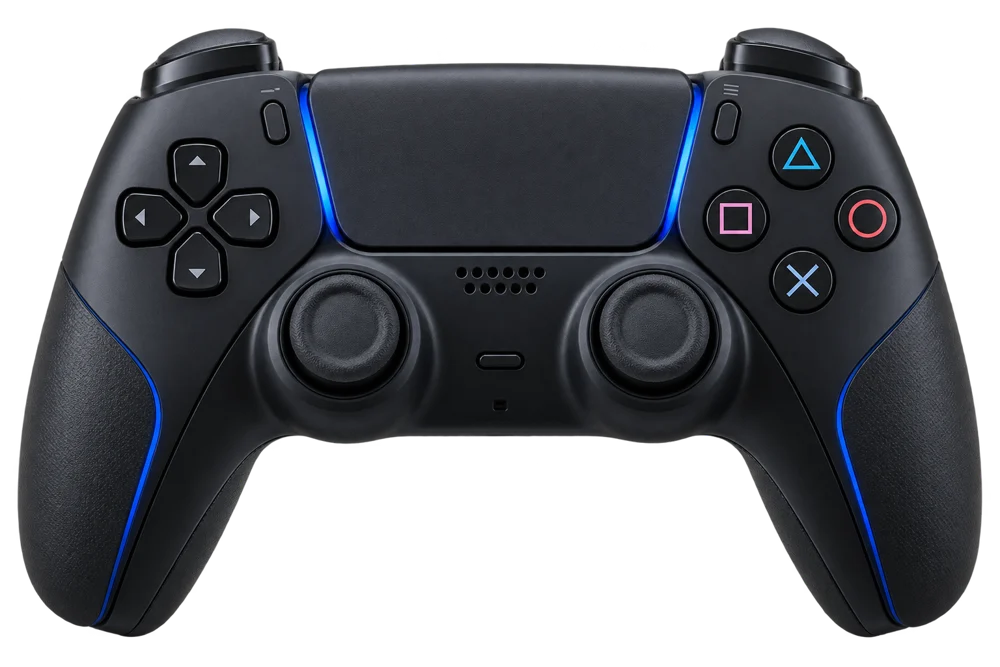
Controller and gamepad are names for the device with sticks and buttons. DS7 is the Windows software you use to customize its settings.
Use a Windows-compatible USB controller. DS7 supports PlayStation, Xbox and third-party models; see the requirements below.
Deadzone defines the initial stick range that produces no movement. Response curves change how stick movement is translated: choose Linear, Dynamic, Standard or customize eight points.
Select Warzone, Apex Legends, Fortnite or Battlefield 6 to configure the aim assist boost and available features. Adjust values and save your controller setup.
02 / CHOOSE YOUR GAME
Choose your game’s configuration and personalize features for your controller and sensitivity.
Aim assist boost for Warzone / CoD.
Aim assist boost for Apex Legends.
Aim assist boost for Fortnite.
Aim assist boost for Battlefield 6 / REDSEC.
The game must support controllers on PC. Available features vary by game and profile. Check the controller and game requirements before purchasing.
03 / QUICK SHORTCUTS
Make adjustments during gameplay using your controller shortcuts.
| Feature | PlayStation | Xbox |
|---|---|---|
| Adjust recoil | L1 + R1 + L2 + R2 + D-pad | LB + RB + LT + RT + D-pad |
| Rapid Fire | ↑ + □ | ↑ + X |
| Auto Ping | L3 + ↑ | LS + ↑ |
| Slide Cancel | L3 + → | LS + → |
Recoil: hold all four buttons. ↑ decreases and ↓ increases vertical compensation; ← and → adjust horizontal compensation. Release to save.
Audio feedback: two beeps = on. One beep = off. L3 / LS means clicking the left stick.
04 / FROM PURCHASE TO YOUR FIRST GAME
Monthly for R$80.00 per 30 days or Lifetime for a one-time R$500.00 payment. Online checkout uses Pix in Brazilian reais (BRL), with no automatic debits.
After payment is confirmed, your email contains your license key, download link and instructions. Also save your private order link to access your license and download again.
An individual license bound to one PC. Check the requirements below and choose the plan that fits your routine.
Explore commands and setup steps. The same Portuguese manual covers monthly and lifetime plans.
PlayStation, Xbox and Windows-compatible third-party models. DS7 is for PC and controllers only; it does not run directly on a console or operate as a mouse-and-keyboard tool.
05 / DS7 SEVEN
Choose R$80.00 for 30 days or R$500.00 for lifetime access to personalize your controller on PC. Both plans are paid in Brazilian reais (BRL) with Pix.
BEFORE YOU START
DS7 is Windows software, not a physical controller. Use your own compatible controller to play on PC and customize its settings in DS7.
Connect a compatible USB controller, choose your game profile in DS7 and adjust strength, activation, sensitivity, curve and deadzone. Test values gradually. The Portuguese tutorial demonstrates the setup and multiplayer gameplay in MW4.
DS7 includes a Warzone / CoD profile for controllers on PC. Select that profile and adjust the available features for your sensitivity. The MW4 demonstration provides a setup reference; your game and controller may need different values.
No. DS7 is exclusively for controllers on PC. Your game must also support controller input.
DS7 supports PlayStation, Xbox and Windows-compatible third-party controllers. Connect over USB. Available features depend on your controller and controller support in your game.
No. Choose what to enable, tune the values and turn off the features you do not want.
Choose R$80.00 for 30 days or R$500.00 for lifetime access. Monthly access is renewed with a new Pix payment, without automatic debits. Both plans are paid in Brazilian reais (BRL).
Brazilian online checkout accepts Pix only. Enter the required billing details and mobile number with area code, then enter and confirm an email address you can access. Generate the order’s Pix code or QR code. The checkout does not offer cards or installments.
After payment confirmation, you receive your purchase details by email. Your license, download and instructions are available through the private order link. Save that email for future access.
Each license is individual and bound to one computer. The same license cannot be used on another PC.
No. The app is exclusively for a Windows 10 or 11 64-bit PC and controller input.
SEVEN · CRONUS ZEN
Already own a Cronus Zen? Explore the SEVEN script catalog, available games and features.